iPhone Developer Tips Visitor Stats: 122,631 Pageviews and 90,229 visitors in the past 30 days.
|
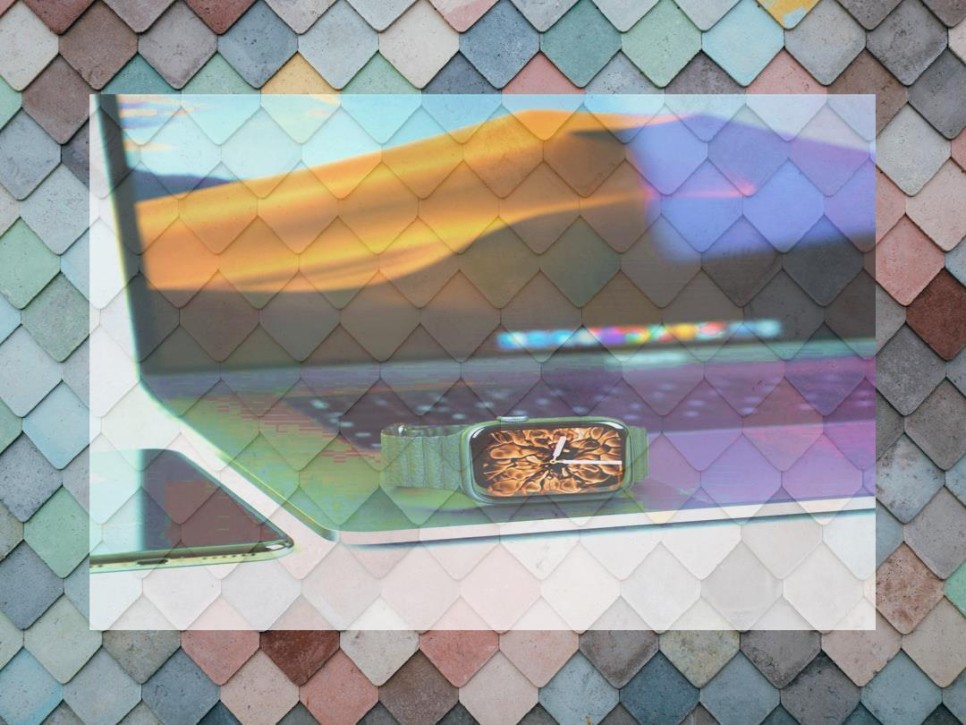
Masking an image enables a developer to create images with irregular shapes dynamically. Masking is often used to create a user interface that is more compelling and less boring.
Take for example the following example …
Creating the mask above is really simple using CoreGraphics on the iPhone. The following is a function that takes two images and uses one to mask the other.
1
2
3
4
5
6
7
8
9
10
11
12
13
14
15
| - (UIImage*) maskImage:(UIImage *)image withMask:(UIImage *)maskImage {
CGImageRef maskRef = maskImage.CGImage;
CGImageRef mask = CGImageMaskCreate(CGImageGetWidth(maskRef),
CGImageGetHeight(maskRef),
CGImageGetBitsPerComponent(maskRef),
CGImageGetBitsPerPixel(maskRef),
CGImageGetBytesPerRow(maskRef),
CGImageGetDataProvider(maskRef), NULL, false);
CGImageRef masked = CGImageCreateWithMask([image CGImage], mask);
return [UIImage imageWithCGImage:masked];
} |
Yep … its just that simple!
NOTE: The mask image cannot have ANY transparency. Instead, transparent areas must be white or some value between black and white. The more towards black a pixel is the less transparent it becomes.
Comments
43 Responses to “How to Mask an Image”
Leave Comment
Great post, I had no idea it was that easy to create such an effect. Any more CoreGraphics tips up your sleeve?
Nice tip, thanks for sharing.
I was doing this but had not seen that the family of functions CGImageGet* existed.
Gotta read more the manual.
@Vitor Thanks! Glad it was helpful.
I had tried the above code but for some images mask has been work but for some images mask will be displayed as a black background.. Is there any rule that I need to take some specific image?
Thanks in advance!
Hi Rajendra.
This code works only with images that have an alpha channel (no jpgs). I was having the same problem too.
Hi Vitor,
Thanks a lot for your response. What do you mean by alpha channel image. The same problem occur for png or tiff images. Can you please give me your suggession in detail.
To be clear, the mask image should have NO alpha channel. It is a Black and White image. If you need to you can use a gradient ( a shade of gray). White translates to fully transparent (as in above example) and black is fully opaque. Any value in between will result is a semi-transparent effect.
If you are seeing a black background that is likely because you have some level of transparency in your mask image. Simply fill in the transparent areas of your mask with the color white and you should be fine.
Yes, Rodney is right (I forget this detail).
When I say an “alpha channel” I mean an additional layer of the image that have transparency information. An image without this information cannot have transparent pixels when masked using the function (it will have “black pixels” when masked).
To see that, using Gimp (or Photoshop), open the image and see if it has a alpha channel (in gimp: Layer->Transparency->Add Alpha Channel).
You can see more details here: http://en.wikipedia.org/wiki/Alpha_channel
I tested only using pngs and jpgs (which doesnt have transparency).
Sorry for my english (not american).
Thanks a lot for your response!!! It solves my issue!!!
One last observation: I have detected a small memory leak in this function. I used the following correction:
After the line:
CGImageRef masked = CGImageCreateWithMask([image CGImage], mask);
I added:
CGImageRelease(mask);
CGImageRelease(maskRef);
And the leak is gone…
So here is the entire function:
- (UIImage*) maskImage:(UIImage *)image withMask:(UIImage *)maskImage {
CGImageRef maskRef = maskImage.CGImage;
CGImageRef mask = CGImageMaskCreate(CGImageGetWidth(maskRef),
CGImageGetHeight(maskRef),
CGImageGetBitsPerComponent(maskRef),
CGImageGetBitsPerPixel(maskRef),
CGImageGetBytesPerRow(maskRef),
CGImageGetDataProvider(maskRef), NULL, false);
CGImageRef masked = CGImageCreateWithMask([image CGImage], mask);
// ops, lets not forget this…
CGImageRelease(mask);
CGImageRelease(maskRef);
return [UIImage imageWithCGImage:masked];
}
@Vitor
Nice catch! Thanks.
Thanks!
Thanks guys for this hint…
But I still have a problem with black background.
In fact, If I use both PNG for image and mask, everything works great.
but if the image is a JPG, I get a black background.
unfortunatly, I can’t convert the JPG image to a PNG, they are on a webserver.
although if the mask is in JPG, I get the whole result in black (not only borders).
anyone have a solution ?
thank you all
Hi,
I am painfully new to iphone development. I was wondering if you can provide a quick example of how or where you call this function? I don’t seem to be able to drop it into drawRect but I’m not sure how to reference it. Sorry if it is a n00b question. Thanks!
Ha! I think I figured it out. Anyway, this is what I coded and it’s working:
UIImage *masked = [self maskImage:glob withMask:masker];
That works, which is great! Any specific (or general Obj-C) guidance?
@shrug The easiest way to get this on screen would be to use a UIImageView. There are a ton of example on the Apple site that show how to use a UIImageView. You could create a subclass of UIImageView and in its constructor make a call to the method described above.
@TheSquad I’ve not tried using a JPeg are the image or the mask … I’ll have to take your word for it not working. All I can offer is the creation of a proxy service that you would run on your own server to transcode the JPegs into PNGs. I do this often when I develop for “lesser” phones (e.g. J2ME devices which only support PNG). The Java 2D libraries that come with Java out of the box are excellent for this purpose … so creation a simple servlet that handles the conversion is pretty simple to create.
I do have another question. I would really like to animate a mask, so if you move the iphone a certain way, it ‘slides’ off. Is this possible? From what I understand, we take image1 (original) and image2 (mask) and end up with, really, an image3 (masked original).
Can we still interact with image2 (or 1 for that matter) to animate the mask? Or would there be some other way of doing that?
I have to say, delving into iPhone dev (and Obj C) is very humbling. I’m a Flash coder by day, and this is a whole new realm for me, moreso than I expected. I know exactly how I would do all this in Flash, but unfortunately I have to throw all that out the window. :)
Thanks for the posting!
@Vitor: You must not release maskRef. Since you’ve got this from the CGImage property, which will return an autoreleased object. If you would release maskRef your app will most likely crash. Beside that it would be cool to release the masked image that you created via CGImageCreateWithMask. A non-crashing solution with no memory leaks could therefore look like this:
CGImageRef maskRef = maskImage.CGImage;
CGImageRef mask = CGImageMaskCreate(CGImageGetWidth(maskRef),
CGImageGetHeight(maskRef),
CGImageGetBitsPerComponent(maskRef),
CGImageGetBitsPerPixel(maskRef),
CGImageGetBytesPerRow(maskRef),
CGImageGetDataProvider(maskRef), NULL, false);
CGImageRef masked = CGImageCreateWithMask([image CGImage], mask);
CGImageRelease(mask);
UIImage* retImage= [UIImage imageWithCGImage:masked];
CGImageRelease(masked);
return retImage;
@Carsten: thanks for the correction. The way I was using it I wasn’t experiencing any crashes, but your info is correct anyway.
I’ve improved the code so that it can correctly mask images that don’t have an alpha channel.
See the improved code here: http://pastie.org/418627
Hope it will be useful to someone else.
Thanks for the initial code.
For Jean:
I still get some incorrect results for images that don’t have an alpha channel.
I’ve change one of your lines to:
if ((CGImageGetAlphaInfo(sourceImage) == kCGImageAlphaNone) || (CGImageGetAlphaInfo(sourceImage) == kCGImageAlphaNoneSkipFirst)) {
This way I cover the 2 subcases of images without an alpha channel.
Hope it helps :)
hi there, I’m trying to get this method to work for masking an image and have come up against a brick wall. I can get the mask to work but the bit of the image that is being masked off always seems to be black instead of being transparent. I have made sure that both the mask and the maskee are png’s etc but still no luck. Does anyone know why this is the case?
Jean, YOU ROCK!
Thank you so much!
Perfect code!!!!
Thanks Rodney, Keep it going ….
Well, this should not be this hard.
First I had to remind myself that I should save my images as 24-bit pngs (not 8-bit).
My mask file is black-and-white, NO transparency.
The mask is applied, but there is a black place where the ‘knock-out’ should be.
I have tried saving the source testImage with and without transparency thinking that alpha bits were needed (or not) for the effect to happen.
I am displaying this image in a UIImageView set to opaque=NO and backgroundColor of clearColor, but underneath images are not showing through.
Here is my code:
UIImage *testMaskImage = [UIImage imageNamed: @"testMask.png"];
CGImageRef maskRef = testMaskImage.CGImage;
UIImage *anotherTestImage = [UIImage imageNamed: @"testImage.png"];
CGImageRef theImage = anotherTestImage.CGImage;
CGImageRef mask = CGImageMaskCreate(CGImageGetWidth(maskRef),
CGImageGetHeight(maskRef),
CGImageGetBitsPerComponent(maskRef),
CGImageGetBitsPerPixel(maskRef),
CGImageGetBytesPerRow(maskRef),
CGImageGetDataProvider(maskRef), NULL, false);
CGImageRef theMaskedImage = CGImageCreateWithMask(theImage, mask);
CGImageRelease(mask);
self.image = [UIImage imageWithCGImage:theMaskedImage]; // where I hand the image off
CGImageRelease(theMaskedImage);
Jean Regisser: Your code rocks!!!!
@everyone: This masking stuff is NOT, under no circumstances “simple stuff”. Indeed it is very hard to get it right. I spent 30 hours in this “simple” thing, as an programmer with 18 years of experience.
It highly depends on how the images are created, i.e. what kind of algorithms are used. Alpha is not alpha. There are a bunch of different alpha masking algorithms out there, and a PNG-24 with alpha can be very different than another PNG-24 with alpha. The key is in decoding all this things correctly, but that is nearly impossible with what Apple gives us. The API is very buggy here and is not able to automatically detect all this variancies.
So, even though I do create an nice image with alpha channel in GIMP, Jean Regisser’s code will still apply an alpha channel to my image.
Take care guys.
hello Jean,
thankyou for your update, its nicely worked for me.
Any idea on how to use CGImageCreateWithMaskingColors with a jpg? I used Jean’s great code for adding an alpha channel, but when no matter what values I use for the mask the entire image becomes invisible. I’m trying just to remove just a black background from my jpgs while leaving the rest of the image intact.
Here’s what my code currently looks like:
static CGImageRef CreateMaskedImage(CGImageRef image)
{
image = CopyImageAndAddAlphaChannel(image);
const float mask[] = {0, 0, 0, 0, 0, 0};
return CGImageCreateWithMaskingColors(image, mask);
}
HI
I have a question.How can I change a mask’size? Just like Flash’masked.
@Saint you can use crop your masked image or quickly you can change mask image ref. Something like :
Change
CGImageRef maskRef = maskImage.CGImage;
To
CGRect rect = CGRectMake(0.0f, 0.0f, 100.0f, 50.0f);
CGImageRef maskRef = CGImageCreateWithImageInRect ([maskImage CGImage], rect);
By this method you can get a new maskRef defined by rect.
For Alkim:
I try your method. I can’t change my mask size.
And I have a other question.
If mask is circle,it can mask an image?
Thank you.
I am not sure what you wanna do :)
If you want to change your mask size, you can use that method, if you want to change image size also you can do the same method but you have to apply to [image CGImage] variable.
You can get masked image in any shape depends on your prepared mask image (Circle, bird shape, little mountains bla bla :) ). If you want this circle programmatically (not a mask image) you can do something like :
const float kBlackColor[] = { 0.0, 0.0, 0.0, 1.0};
CGContextRef currentContext = UIGraphicsGetCurrentContext();
CGContextSetFillColor(cgContext, kBlackColor);
CGContextStrokeEllipseInRect(currentContext, CGRectMake(0.0, 0.0, 150.0, 150.0));
CGImageRef maskRef = CGBitmapContextCreateImage(currentContext);
you have 150 by 150 started at 0 to 0 point circle mask. (Also you should design for your needs.)
then you apply this mask to your image with the code shown at this page…
Thank you!
http://www.entheosweb.com/Flash/masking.asp
This web is masking in flash.
I want to do like this mask.
xcode can do like this?
many thanks for this post especially the later stages from Alkim. I was struggling because I was using the wrong routine to pull the image out of a custom context. Be warned, in this circumstance you should not use
UIImage* newImage = UIGraphicsGetImageFromCurrentImageContext();
But (obviously, in hindsight) use where you specify which context
CGImageRef newImageRef = CGBitmapContextCreateImage(context);
UIImage* newImage = [UIImage imageWithCGImage:newImageRef];
Thanks again and I hope this helps others …
Hi ,
I am new to iphone development and dont know how to implement this concept in xcode for iphone ,can anybody please provide me the whole source code or sample project for image masking with image.
Thanks in Advance…
Great tips! I’m having a bit of trouble though. I have a mask of a set size (100×100). I want to use this small mask on larger images of various sizes (320×480, 600×900, etc). However, my mask is stretching to the size of the image. Any ideas on how to maintain a smaller mask?
Thanks!
So how do you can this method? Say your imageview is populated by the ‘didFinishPickingMediaWithInfo” method, how would you mask the results? Do you just add this code to the “didFinishPickingMediaWithInfo” method?
The code looks great, and I have made my mask.png file
However, where should I insert the code? My gues is system/library/coreservices/springboard.app/info.plist but I’m not sure.
Also, would it automatically apply the mask to all apps? Thanks.
SOLUTION!!
Ok, this is stupidly easy to do after figuring out. The main problem is the mask image but after hours of banging my head on my desk I figured it out. Use whatever software you wish to create the mask.png with whatever colors you want and save it. The trick is to open it in Preview, yes Preview and click Save As, DESELECT the Alpha button and save. Your mask is now finished.
-(UIImage*)maskImage:(UIImage*)image withMask:(UIImage*)mask {
CGImageRef imgRef = [image CGImage];
CGImageRef maskRef = [mask CGImage];
CGImageRef actualMask = CGImageMaskCreate(CGImageGetWidth(maskRef),
CGImageGetHeight(maskRef),
CGImageGetBitsPerComponent(maskRef),
CGImageGetBitsPerPixel(maskRef),
CGImageGetBytesPerRow(maskRef),
CGImageGetDataProvider(maskRef), NULL, false);
CGImageRef masked = CGImageCreateWithMask(imgRef, actualMask);
return [UIImage imageWithCGImage:masked];
}
Can we use CGImageCreateCopyWithColorSpace(maskref,CGColorSpaceCreateDeviceGray()) instead of CGImageMaskCreate(All the parameters and separate method calls)?
Thank’s Rodney, this really helps perfect, which i am looking for! Thanks again!
question about how to creating mask image with programming way :
as we know, we can create such mask image via loading or reading one mask image edited already.
but what I want now is to create those data via some codes, just like GDI+ does, any clues ?
thanks